
How to Securely Upgrade to Ubuntu 25.04: Step-by-Step Guide
Upgrading your Linux distribution is an essential part of keeping your system secure and optimized. With the release of Ubuntu 25.04, users are eager to experience the latest features, security patches, and performance enhancements. This article provides a comprehensive guide on how to securely upgrade to Ubuntu 25.04, while avoiding common pitfalls.
🛠️ Why Upgrade to Ubuntu 25.04?
Ubuntu 25.04 introduces new kernel improvements, updated GNOME features, better Wayland support, and enhanced package security. It’s built with developers and performance-focused users in mind. Staying on an outdated version increases your exposure to security risks and software incompatibility.
Secure & Safe Upgrade to Ubuntu 25.04
Upgrading to a new Ubuntu release in 2025 shouldn’t feel risky—if you follow a structured, security‑oriented plan. The steps below walk you through verifying authenticity, removing unstable PPAs, capturing encrypted backups, performing the upgrade, and hardening the finished system.
1. Verify the Release
Even when you upgrade in‑place, confirm the mirrors you pull from are genuine. Download the SHA256SUMS and SHA256SUMS.gpg files for Ubuntu 25.04, then:
gpg --keyserver keyserver.ubuntu.com --recv-keys 0x46181433FBB75451
gpg --verify SHA256SUMS.gpg SHA256SUMS
Any mismatch signals a compromised mirror—stop and troubleshoot before continuing.
2. Prep Your Current System
Turn on the uncomplicated firewall:
sudo ufw default deny incoming
sudo ufw enable
Install fail2ban and unattended‑upgrades so security patches keep flowing right up to the reboot:
sudo apt install fail2ban unattended-upgrades
sudo dpkg-reconfigure unattended-upgrades
3. Remove Third‑Party PPAs
External PPAs are the leading cause of dependency hell. Audit them:
grep -r ^deb /etc/apt/sources.list.d | awk '{print $2}'
For each PPA, run:
sudo add-apt-repository --remove ppa:<name>
Delete any custom .list files pointing at non‑Ubuntu URLs. Note essential PPAs so you can re‑enable them only if they already provide 25.04 packages.
4. Dual‑Layer Backup
- System snapshot – Use Timeshift with encryption enabled: bashCopyEdit
sudo timeshift --create --tags D --comments "Encrypted pre‑25.04" - Data backup – Launch Déjà Dup (or
duplicity) to copy your/homedirectory to an external drive, adding a strong passphrase. Test by restoring a small file.
5. Patch and Clean
A fully up‑to‑date base reduces merge conflicts:
sudo apt update && sudo apt full-upgrade
sudo snap refresh
sudo apt autoremove --purge
6. Launch the Upgrade
Desktop:
update-manager -c
Server/CLI:
sudo do-release-upgrade
When prompted about obsolete packages, choose Remove unless you rely on them. Monitor any messages about unauthenticated packages—if you see one, press N to abort and inspect your sources.
7. Reboot & Verify
After completion, reboot and run:
lsb_release -d   # Ubuntu 25.04
uname -r         # new kernel
sudo ufw status
Re‑install proprietary NVIDIA/AMD drivers via Software & Updates → Additional Drivers to ensure you pull signed and tested packages.
8. Post‑Upgrade Hardening
- Re‑enable only PPAs that explicitly support 25.04.
- Confirm unattended‑upgrades is still active.
- Use needrestart to spot services using old libraries: bashCopyEdit
sudo apt install needrestart sudo needrestart - Run
sudo apparmor_status—all profiles should be in enforce mode.
9. Final Cleanup & Snapshot Rotation
sudo apt autoremove --purge
sudo snap refresh
Archive the encrypted Timeshift snapshot off‑site so you can roll back if needed. Schedule snapshot rotation (e.g., keep two monthly images) to save space.
10. Enjoy the Upgrade
With PPAs trimmed, backups verified, signatures checked, and defensive tools active, your Ubuntu 25.04 system is both safe and secure. Dive into new features like the refreshed GNOME shell, updated PipeWire audio, and extended Wayland support—then treat yourself to a spicy Thai pad kra‑pao for a job well done!
More 2025 Linux security tutorials are on the way—subscribe so you never miss out!

เปลี่ยน Raspberry Pi เก่าให้เป็นคลัสเตอร์ AI ออฟไลน์: คู่มือ Self-hosting โมเดลภาษา 2026 บนฮาร์ดแวร์รีไซเคิลเพื่อ Digital Sovereignty
ในยุคที่บริการ AI เชิงพาณิชย์กลายเป็นค่าสมัครสมาชิกรายเดือน และข้อมูลของผู้ใช้ถูกส่งขึ้นคลาวด์โดยแทบหลีกเลี่ยงไม่ได้ แนวคิดเรื่อง Self-hosting AI บน …
Read More
สร้าง Private Linux Server สำหรับ AI สูตรอาหารแบบออฟไลน์: คู่มือ Self-Hosted LLM เพื่อปกป้องความลับครัวมืออาชีพ
เมื่อสูตรลับไม่ควรออกจากครัว: ทำไม Private Linux Server จึงสำคัญ
ในปี 2026 การใช้ AI เพื่อช่วยคิดเมนู วางแผน prep list และจัดการวัตถุดิบในครัวมืออาชี…Read More
เขียน SOP สูตรอาหารไทยด้วย AI Automation บน Ubuntu 24.04: เปลี่ยนครัวเชิงพาณิชย์ให้กลายเป็นระบบอัตโนมัติที่คุมรสชาติได้
ในโลกของครัวเชิงพาณิชย์ ความท้าทายที่ใหญ่ที่สุดไม่ใช่แค่การทำอาหารให้อร่อย แต่คือการทำให้อร่อยเหมือนเดิมทุกครั้ง โดยเฉพาะเมนูไทยที่อาศัยความรู้สึกของคนครัวสู…
Read More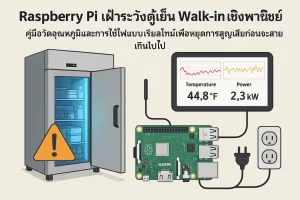
Raspberry Pi เฝ้าระวังตู้เย็น Walk-in เชิงพาณิชย์: คู่มือวัดอุณหภูมิและการใช้ไฟแบบเรียลไทม์เพื่อหยุดการสูญเสียก่อนจะสายเกินไป
ในครัวเชิงพาณิชย์ ความผิดพลาดเพียงเล็กน้อยของระบบทำความเย็นอาจแปลความหมายเป็นต้นทุนมหาศาลทันที ไม่ว่าจะเป็นอุณหภูมิแกว่งเกินจุดปลอดภัย ประตูตู้เย็นถูกเปิดค้า…
Read More